Interface Guide
Overview of the terminal layout and panels.
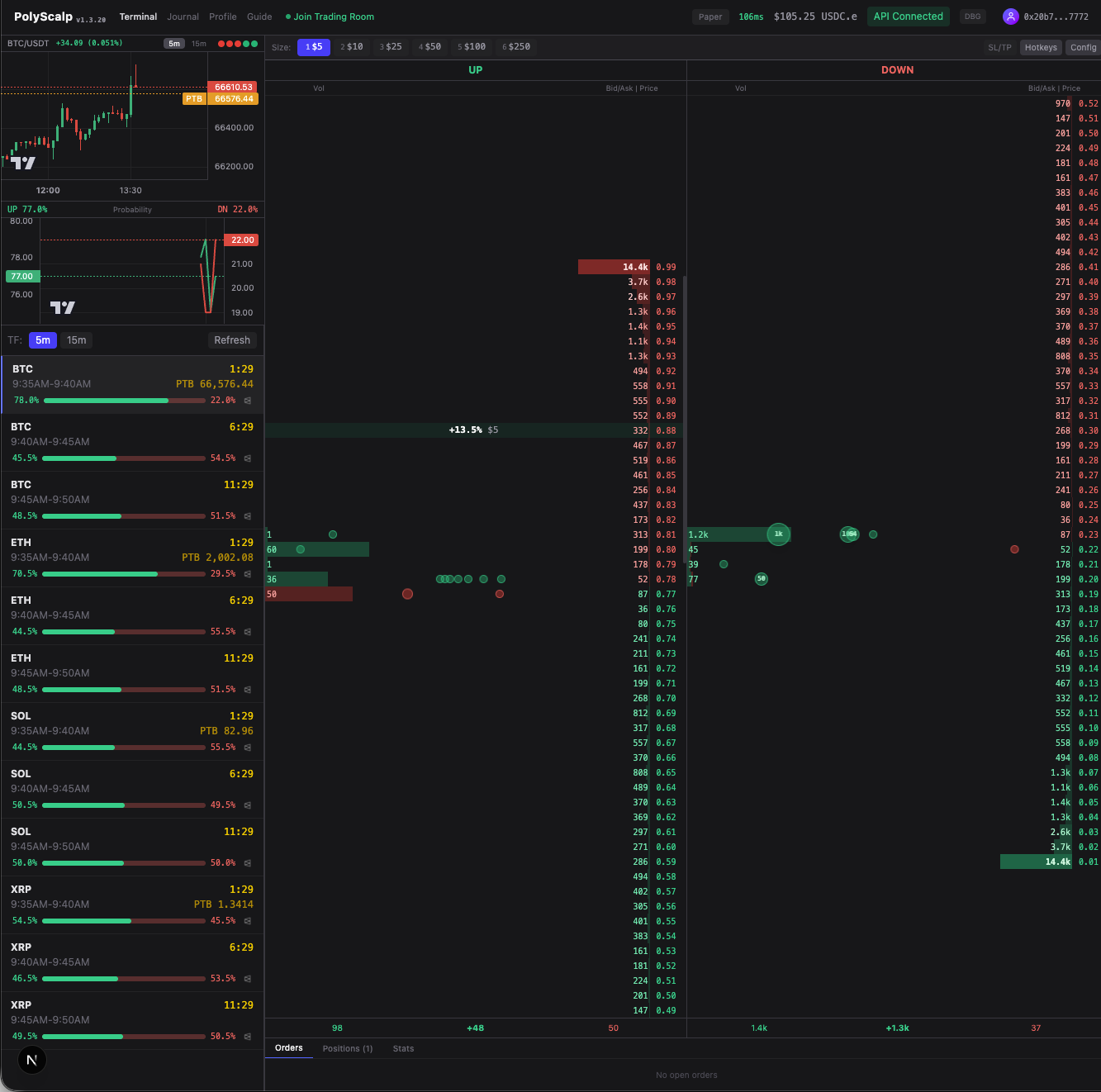
Header: Navigation | Paper/Live | Balance | API | Profile
Left Panel
Market List
Price Chart
Probability Chart
Main Area
Order Book Ladder
(click to trade)
Bottom: Order Presets (1-6) | Hotkey Settings
Market ListBrowse and select crypto up/down markets (BTC, ETH, SOL, XRP). Shows probability bars, PTB (Price to Beat), and countdown timer.
ChartsReal-time candlestick price chart + outcome probability distribution. Supports 1m, 5m, 15m, 1h timeframes.
Order Book LadderThe central trading ladder — click price levels to place orders. Shows bids (green), asks (red), your orders, and TP/SL markers.
PresetsQuick order size buttons mapped to keys 1-6. Configure amounts in Hotkey Settings.
HeaderNavigation, Paper/Live toggle, USDC balance, OMS connection status, API setup, and profile menu.