Getting Started
Set up your account and start trading in under a minute.
1. Connect Your Wallet
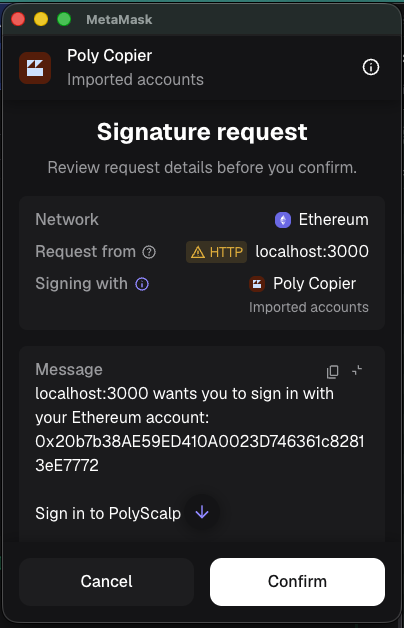
Click "Sign in to Trade" and approve the MetaMask signature request. PolyScalp uses your wallet address to verify your subscription and link your trading accounts.
2. Import Trading Account
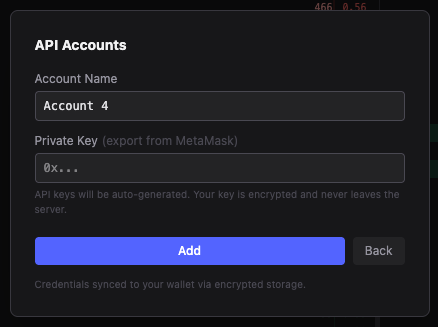
Click "Connect API" in the header to open the account setup. You'll need your Polymarket wallet private key:
- 1.Open MetaMask → Account Details → Export Private Key
- 2.Enter a name for your account and paste the private key
- 3.API credentials are auto-generated. Your key is encrypted on the server.
3. Switch Accounts
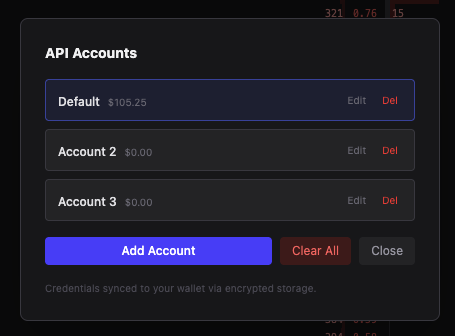
You can add multiple trading accounts. Switch between them in the API modal — click on an account name to make it active. Each account has its own balance and positions. The active account is highlighted with a border.
4. Start in Paper Mode
We recommend starting in Paper mode to learn the interface. Click the PAPER button in the header to toggle. You get $1,000 virtual balance to practice with.